Jail break a privileged container
You can get full access to docker host from inside a container if it’s running
in privileged mode (docker run --privileged).
The trick is when a container is running in privileged mode the host’s /dev
filesystem will be also mounted inside the container. You just need to figure
out the right device of the host’s root filesystem and mount it inside container
then get full access to the host’s root filesystem.
You do not need to guess the device file, just look into the output from command
mount, the device is the same as where the /etc/hosts is mounted from.
# mount | grep /etc/hosts
/dev/dm-0 on /etc/hosts type ext4 (rw,relatime,errors=remount-ro,data=ordered)

# mkdir /tmp/root

# mount /dev/dm-0 /tmp/root
Now the docker host’s root filesystem is mounted on /tmp/root, you can read
and write any files of docker host as root user, and do anything you want, for
example, chroot inside and add an account, or add your ssh public key to
/root/.ssh/authorized_key to get remote access to the host.
# chroot /tmp/root /bin/bash
So be careful with --privileged option, you usually do not need this, refer to
Runtime privilege and Linux capabilities
for how to do fine grain control over the capabilities with --cap-add and
--cap-drop options instead.
Streamlining Python Popen Output
When executing a long-running shell command from a Python script (such as within a Jenkins pipeline), you often encounter a specific set of requirements:
- You need to parse or
grepthe output for specific patterns. - You need to stream the output to the terminal in real-time.
- You need to capture the final exit code.
The
subprocess.check_output
method might seem like the obvious choice:
import subprocess
import sys

try:
    output = subprocess.check_output(['ping', '-c', '4', 'localhost'])
    sys.stdout.write(output)
except subprocess.CalledProcessError as e:
    pass

# Now search the output...
However, check_output buffers the output and only yields it after the
command has fully terminated. If you have a Jenkins job invoking a script that
runs for 10 minutes, sitting in the dark with no real-time terminal output is
unacceptable. Additionally, check_output was introduced in Python 2.7, which
poses a problem for legacy production systems (like CentOS 6) still heavily
reliant on Python 2.6.
Other common alternatives like
subprocess.check_call
or os.system don’t allow you to capture the output programmatically for
parsing.
The Solution: Non-Blocking Reads with select
To achieve real-time streaming alongside programmatic output capture in
legacy-compatible Python, you can combine subprocess.Popen with I/O
redirection and the select
module for non-blocking reads:
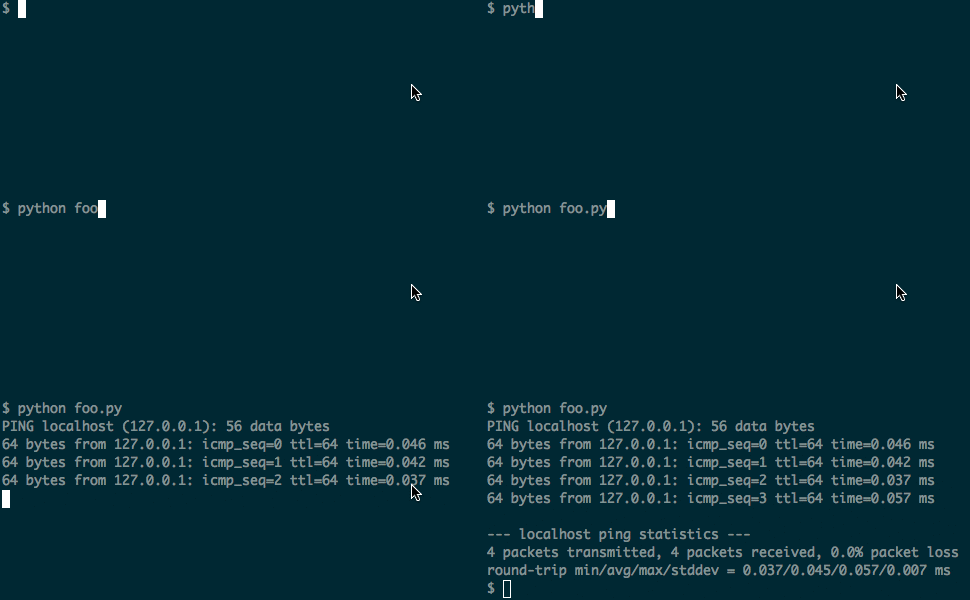
# foo.py

import sys
from subprocess import PIPE, Popen
from select import select

# bufsize=1 ensures line-buffered output
p = Popen('ping -c 4 localhost', shell=True, stdout=PIPE, bufsize=1)

while True:
    # Non-blocking check to see if there is data to read
    if select([p.stdout.fileno()], [], [], 0)[0]:
        line = p.stdout.readline()
        if not line:
            break
        sys.stdout.write(line)  # You can perform your pattern matching/grep here

sys.exit(p.wait())
This ensures that output is printed immediately as it is generated, you can inspect each line programmatically, and the exit code is properly returned at the end.